
Coolify Hosting Platform: Complete Self-Hosting Guide for Developers
Cut PaaS costs, keep Docker workflows, and own your infrastructure
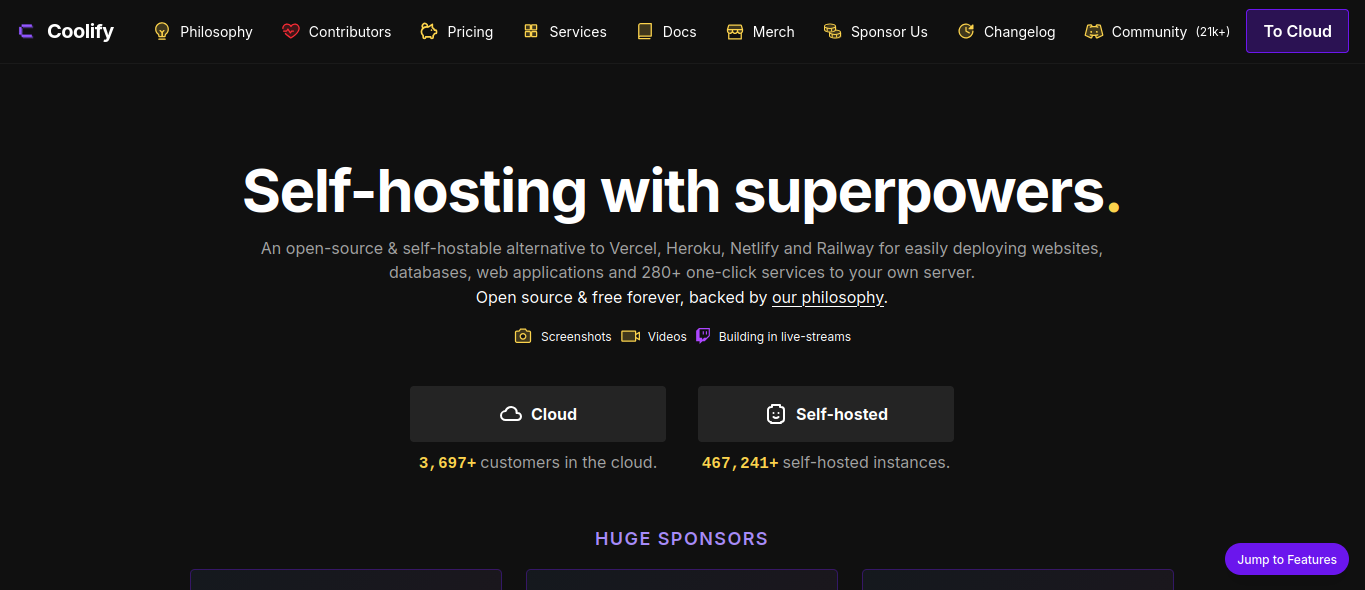
Modern teams ship faster than ever—but the bill for “convenient” hosting is catching up. If you have ever watched a Vercel or Heroku invoice climb while your traffic stayed flat, you are not alone. The Coolify hosting platform is part of a growing shift: developers reclaiming infrastructure with an open source hosting control plane that feels like a PaaS, without the lock-in.
This guide explains what Coolify is, why full-stack developers and agencies are adopting it, and how to run production apps—from Next.js to PostgreSQL—on your own servers.
Introduction: Why hosting feels broken in 2026
Rising cloud costs and surprise line items
Managed platforms price for speed of onboarding, not long-term ownership. A typical SaaS stack might include:
- Frontend hosting on a serverless platform
- A separate API host
- Managed Redis or Postgres add-ons
- Bandwidth overages you only notice in the dashboard
For a bootstrapped startup, $200–$800/month across services is common before you hire DevOps. Agencies running ten client apps multiply that pain.
Vendor lock-in and platform limits
When build pipelines, environment variables, SSL, and databases all live inside one vendor, migration becomes a project—not a config change. Custom runtimes, cron jobs, or internal networking often hit plan walls. You optimize for their abstractions instead of standard Docker deployment patterns you already know.
What developers actually want
A developer hosting platform should offer:
- Git-push deploys
- Automatic HTTPS
- Per-app environment variables
- First-class Docker support
- Predictable monthly cost tied to a VPS you control
That is the gap Coolify fills: a self-hosted PaaS you install on a single server (or many), then manage like your own mini-Heroku.
What is Coolify?
Overview
Coolify is an open-source, self-hostable platform for deploying applications, databases, and services to your own servers. You connect a VPS (Hetzner, DigitalOcean, AWS EC2, a home lab—anything with SSH), install Coolify, and manage deployments from a web UI or API.
Think of it as a control layer above Docker: you bring the server; Coolify handles compose files, reverse proxy, SSL, and Git webhooks.
Open-source nature
Coolify is MIT-licensed. You can inspect how deployments work, contribute fixes, and avoid black-box buildpack magic. Updates ship from the community and core team; you choose when to upgrade your instance.
Philosophy
Coolify’s philosophy is ownership without sacrificing DX:
- Your code, domains, and data stay on infrastructure you pay for directly
- Deployments stay reproducible because they are Docker-native
- One panel can manage multiple servers (staging on a $6 VPS, production on a larger box)
Who created it?
Coolify was created by Andras Berczi and maintained with an active open-source community. It gained traction as developers searched for a cloud hosting alternative that still feels modern—especially in the EU self-hosting and indie hacker scenes.
Why developers love Coolify
Simple deployment workflow
Connect a Git repository, pick a branch, define build/start commands (or use a Dockerfile), and deploy. Pushes can trigger automatic builds. Rollbacks are manageable because each deployment is a tracked artifact on your server.
Git integration
Coolify supports GitHub and GitLab (including self-hosted GitLab). Webhooks fire on push; secrets stay in Coolify’s env UI, not in your repo.
Docker-first
Anything that runs in a container—Node APIs, Python workers, static sites behind nginx—fits the model. You are not fighting proprietary buildpacks; if it works in Docker locally, it is much closer to production parity.
Self-hosted PaaS benefits
You get PaaS-style ergonomics:
- Per-project URLs and custom domains
- Environment variable management
- Team members (on supported plans/self-hosted features)
- Application deployment history
…without shipping your Dockerfile to someone else’s cluster.
Multiple server management
Scale horizontally by attaching more servers to one Coolify instance. Agencies often tag servers by client or environment—useful when you want isolation without twenty separate dashboards.
Features deep dive
| Feature | What it means in practice |
|---|---|
| One-click style deployments | Pre-built service templates (WordPress, databases, common stacks) reduce boilerplate |
| GitHub / GitLab integration | Push-to-deploy with webhooks |
| Automatic SSL | Let’s Encrypt certificates provisioned for mapped domains |
| Environment variables | Per-app secrets and config, injected at runtime |
| Database hosting | Run PostgreSQL, MySQL, MariaDB, Redis, MongoDB as managed containers on your server |
| Monitoring hooks | Health checks and logs centralized in the UI (pair with external uptime for production) |
| Backups | Backup workflows for supported resources—still plan off-server copies |
| Team collaboration | Invite teammates with scoped access on your Coolify instance |
Image alt text (cover): Coolify open-source self-hosting platform dashboard managing Docker application deployments on a developer VPS.
Coolify vs traditional hosting platforms
| Platform | Model | Strengths | Trade-offs vs Coolify |
|---|---|---|---|
| Heroku | Managed PaaS | Extremely simple DX | Cost at scale; dyno sleep; less infra control |
| Vercel | Frontend/serverless edge | Best-in-class Next.js DX | Backend/cron/DB elsewhere; usage-based bills |
| Railway | Managed containers | Fast MVP deploys | Recurring cost; not your metal |
| Render | Managed services | Good full-stack UX | Price scales with services count |
| DigitalOcean App Platform | Managed PaaS on DO | Tight DO integration | Less flexible than raw VPS + Coolify |
| Coolify | Self-hosted PaaS | Ownership, Docker, multi-server, flat VPS cost | You operate OS updates, security, backups |
When Coolify wins: long-running APIs, multiple small client apps, databases beside apps, custom Docker images, or when you already manage Cloudflare DNS and want a single server management pane.
When managed still wins: zero-ops global edge for marketing sites only, or teams with no one comfortable patching Linux.
Cost savings analysis (realistic scenarios)
Assumptions: production traffic is moderate; you are willing to run one–two VPS instances.
Startup (1 product, API + web + Postgres)
| Item | Managed stack (approx.) | Coolify on VPS (approx.) |
|---|---|---|
| Web + API hosting | $40–120/mo | — |
| Managed Postgres | $15–50/mo | — |
| Redis / workers | $10–30/mo | — |
| VPS (4 GB RAM) | — | $12–24/mo |
| Total | $65–200/mo | $12–24/mo |
Savings fund product work, not platform rent.
SaaS (staging + production)
Two VPS nodes (staging $6, production $24) plus Coolify multi-server: often under $40/mo vs $150–400/mo split across managed hosts.
Agency (8 client apps)
Eight small apps on one 8 GB VPS: ~$30–48/mo vs eight micro PaaS bills at $7–25 each. Margin matters when clients pay maintenance retainers.
Costs exclude your time for patching and monitoring—budget a few hours monthly or automate with Ansible + uptime alerts.
Hosting applications with Coolify
Coolify supports common stacks via Dockerfile or build packs:
- Next.js — Node build,
next startor standalone output in Docker - React / Vue — Static build served by nginx or Node preview server
- Laravel — PHP-FPM + nginx compose patterns
- Node.js / NestJS — Long-running API containers
- Django — Gunicorn/Uvicorn behind reverse proxy
- WordPress — Template deployments with MariaDB/MySQL sidecars
- PostgreSQL / MySQL / Redis — One-click database resources with persistent volumes
On client work (e.g. ecommerce with Next.js and PostgreSQL), I deploy the app and database on the same VPS behind Cloudflare, with secrets only in Coolify.
Real-world deployment patterns
Pattern A: Monolith on one VPS
A single 4–8 GB VPS runs Coolify, your API, worker, and PostgreSQL with named volumes. Cloudflare handles DNS and caching. This is the default indie/SaaS MVP layout I recommend before splitting databases.
Pattern B: App server + database server
Production database on a private-network VPS; app server connects over WireGuard or provider private networking. Coolify manages both nodes. Use this when compliance or load requires isolated Postgres.
Pattern C: Agency “client per compose”
Each client gets a separate Coolify project with its own domain group and env vars. Shared VPS for small sites; dedicated VPS for regulated clients. Billing stays predictable: you charge maintenance + infra, not opaque platform usage.
Observability you should add
Coolify surfaces container logs, but production deserves:
- Uptime checks (Better Stack, UptimeRobot) on public URLs
- Error tracking (Sentry) inside Node/Laravel apps
- Disk alerts when Docker images fill the volume
- Off-site backups even if Coolify backup jobs exist
Treat Coolify as deployment infrastructure—not a full observability suite.
Step-by-step deployment workflow
1. Server setup
- Ubuntu 22.04/24.04 LTS (common choice)
- Create a sudo user, disable password SSH, use keys
- Point DNS A/AAAA records when ready (Cloudflare proxy optional)
2. Install Docker
Coolify expects Docker (and Docker Compose). Follow Docker’s official engine install for your distro; verify with docker ps.
3. Install Coolify
Run the official install script on a fresh server (see Coolify docs for the current one-liner). The installer sets up the control container and proxy (Traefik/Caddy depending on version).
Lock down:
- Firewall (UFW): 22, 80, 443; restrict Coolify’s admin port if exposed
- Fail2ban or equivalent SSH protection
4. Connect Git
In Coolify: add GitHub/GitLab integration, authorize the app, select repository and branch.
5. Configure application
- Build command / Dockerfile path
- Publish directory (for static sites)
- Health check path
- Environment variables (API keys,
DATABASE_URL)
6. Domain and SSL
Add FQDN in Coolify, ensure DNS points to the server, enable Let’s Encrypt. Coolify provisions certificates automatically in most flows.
7. Deploy and verify
Trigger deploy, watch build logs, hit /health or public URL, then enable automatic deploys on push if desired.
Example: NestJS API behind Coolify
- Dockerfile with multi-stage build (
npm ci,npm run build, slim runtime image) - Expose port 3000; set Coolify health check to
/api/health - Env vars:
DATABASE_URL,JWT_SECRET,NODE_ENV=production - Attach PostgreSQL resource in Coolify; copy internal connection string into the API service
- Map
api.yourdomain.com, enable SSL, deploy frommain
Example: WordPress + MariaDB
Use Coolify’s WordPress template or a custom compose file with persistent volumes for wp-content and the database. Schedule backup jobs to S3-compatible storage. Put Cloudflare in front for caching static assets.
Example: Redis for sessions
Deploy Redis as a managed Coolify service on the same server; point your Laravel or NestJS app to the internal hostname. Keep Redis bound to the Docker network—not public ports.
Benefits for startups and agencies
- Scalability: Vertical scale on VPS; add servers under one Coolify plane
- Ownership: Code and customer data stay on contracts you control—important for healthcare and EU clients
- Security: You define patch cadence, firewall rules, and secret rotation
- Infrastructure control: Run sidecars, cron containers, or internal networks Docker supports
- Cost efficiency: Flat VPS pricing beats per-service managed invoices
Security considerations
Coolify is not a substitute for security hygiene:
- SSL: Use automatic certs; enforce HTTPS at proxy
- Firewall: Minimum open ports; admin UI not public without protection
- Backups: Snapshot databases to S3-compatible storage; test restores quarterly
- Server hardening: Unattended upgrades for security patches, non-root deploy user where possible
- Access management: Separate Coolify logins per teammate; protect Git integration tokens
Pair Coolify with Cloudflare for WAF, bot filtering, and DDoS protection on public sites.
Common challenges and solutions
| Challenge | Practical fix |
|---|---|
| Build fails on server | Reproduce with same Dockerfile locally; pin Node/Python versions |
| Out of disk | Prune unused images (docker system prune) and log rotation |
| 502 after deploy | Check health check path, container port mapping, env vars |
| SSL not issuing | Verify DNS propagation; disable conflicting proxy SSL if misconfigured |
| Slow builds | Use multi-stage Dockerfiles; cache dependencies in layers |
| Database connection errors | Use internal Docker hostnames Coolify provides; don’t hardcode localhost |
Migration path from Heroku or Render
- Export env vars from the old dashboard into Coolify (rotate secrets if they lived in logs)
- Dockerize the app locally until
docker buildpasses - Provision Postgres on Coolify; run migrations from CI or a one-off release container
- Lower DNS TTL before cutover; deploy to Coolify staging first
- Switch A record/CNAME; monitor 24–48 hours; decommission old services
Most teams underestimate Dockerfile work and overestimate DNS risk—the cutover is usually smoother than feared if staging mirrors production.
Choosing VPS size (starting points)
| Workload | RAM | Notes |
|---|---|---|
| 1–2 small Node apps + Postgres | 4 GB | Tight but workable for MVPs |
| Next.js + API + Postgres + Redis | 8 GB | Comfortable default for startups |
| Agency bundle (5–8 low-traffic sites) | 8–16 GB | Watch disk; prune images weekly |
| Heavy WordPress + DB | 8 GB+ | Page caching via Cloudflare helps |
Always monitor swap and disk—IOPS limits hurt database performance before CPU does.
Future of self-hosting
Trends point toward open-source infrastructure and platform independence:
- Developers want exit options when pricing changes
- Docker and compose remain the lingua franca of portable apps
- Control planes like Coolify lower the skill floor for self-hosting platform adoption
You still need observability (logs, metrics, uptime) and a patch process—but you are no longer renting convenience at any price.
Conclusion
The Coolify hosting platform is popular because it respects how developers already work: Git, Docker, env vars, and real servers—without a proprietary runtime prison. Whether you are an indie hacker cutting PaaS spend, a startup owning its stack, or an agency standardizing client deploys, Coolify offers a credible cloud hosting alternative with PaaS-like UX.
Start small: one VPS, one app, one database. Master backups and updates, then attach staging and production servers as you grow.
Frequently asked questions
What is the Coolify hosting platform?
Coolify is an open-source, self-hostable control plane for deploying applications and databases with Docker, Git integration, and automatic SSL on your own servers.
Is Coolify free?
The software is open source; you pay for VPS (and optional object storage for backups). There is no per-deploy tax to Coolify itself on self-hosted installs.
Can Coolify replace Vercel for Next.js?
For many full-stack Next.js apps, yes—especially when you need long-running Node servers, databases on the same host, or predictable VPS pricing. Edge-only static marketing sites may still be cheapest on specialized CDNs.
Does Coolify support multiple servers?
Yes. You can manage multiple servers from one Coolify instance, useful for staging/production separation or client isolation.
How does Coolify compare to Railway or Render?
Railway and Render are managed: faster zero-ops onboarding, higher recurring cost, less underlying control. Coolify is self-hosted: more responsibility, stronger ownership and margin at scale.
Is self-hosting secure?
It can be—as secure as you configure it. Automatic SSL, firewalls, patches, backups, and access control are essential. Coolify automates deployment plumbing; you own the security baseline.